The Coin98 Super Wallet is a versatile, multi-chain crypto wallet that supports a wide range of digital assets. It allows you to store, manage, and transfer your cryptocurrencies across various blockchains with ease, all in one secure place.
If you want to deposit with your Coin98 Super Wallet, kindly visit the Traiex Wallet page and follow the steps below:
Step 1.
Go to the Traiex Wallet Page > Select a currency that is supported by Coin98 Super Wallet > Deposit > Select Coin98 Super Wallet as payment method.
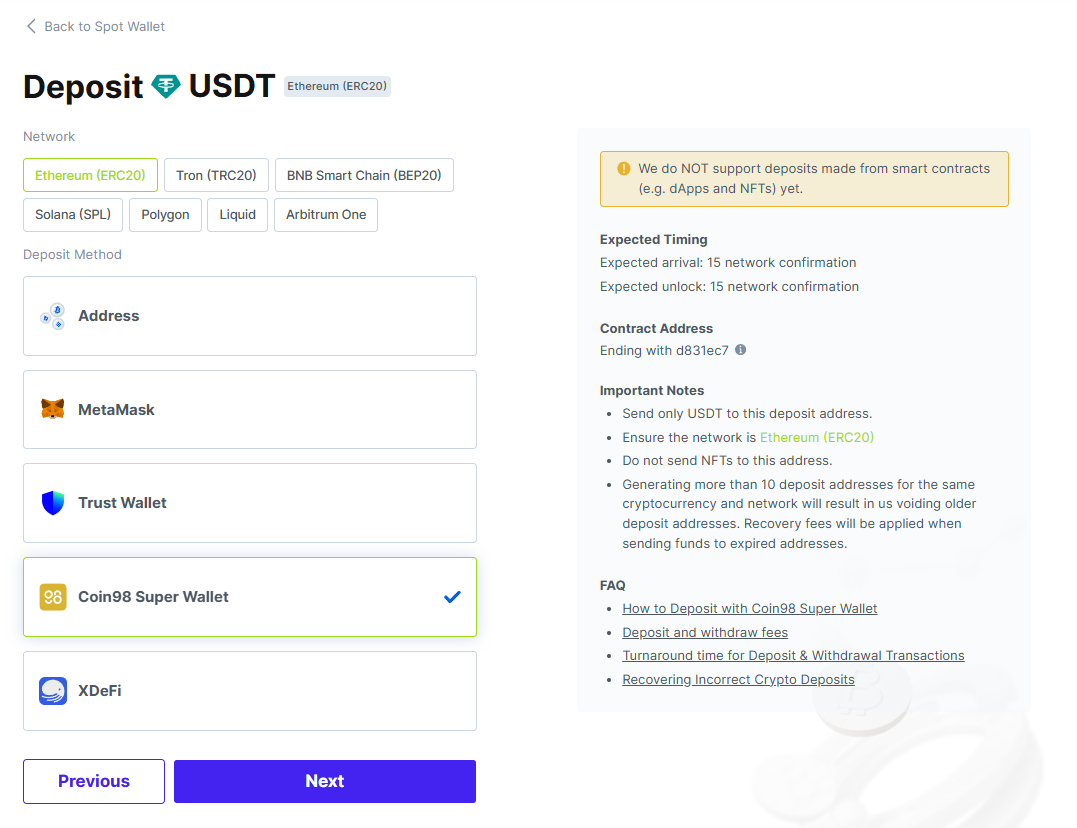
Step 2.
Click Connect button next to Coin98 Super Wallet
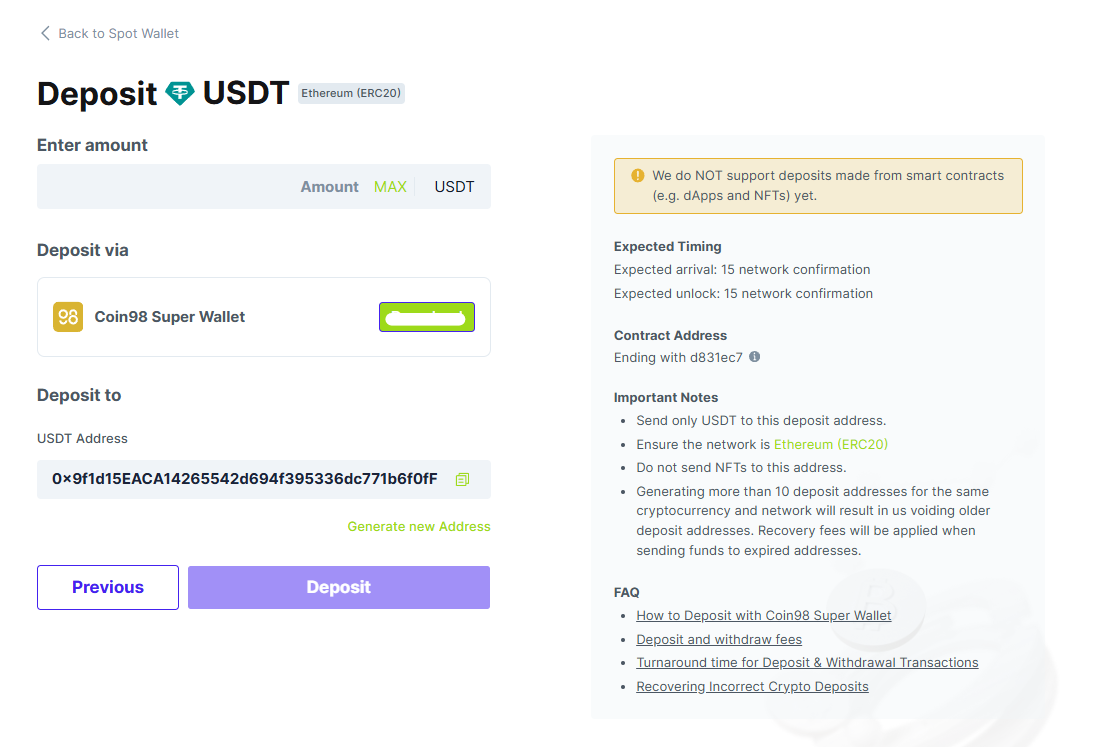
Step 3.
Click Connect in your Coin98 Super Wallet popup
Step 4.
Once connected, you can see your Coin98 Super wallet address on the Traiex wallet page.
Note: After making your Coin98 Super Wallet is connected, all supported cryptocurrencies will automatically be enabled.
Was this article helpful?
That’s Great!
Thank you for your feedback
Sorry! We couldn't be helpful
Thank you for your feedback
Feedback sent
We appreciate your effort and will try to fix the article