Deposits from MetaMask are now available on the Traiex Exchange platform.
If you want to add the MetaMask deposit option to your Traiex Wallet Page, kindly follow the steps below:
Step 1.
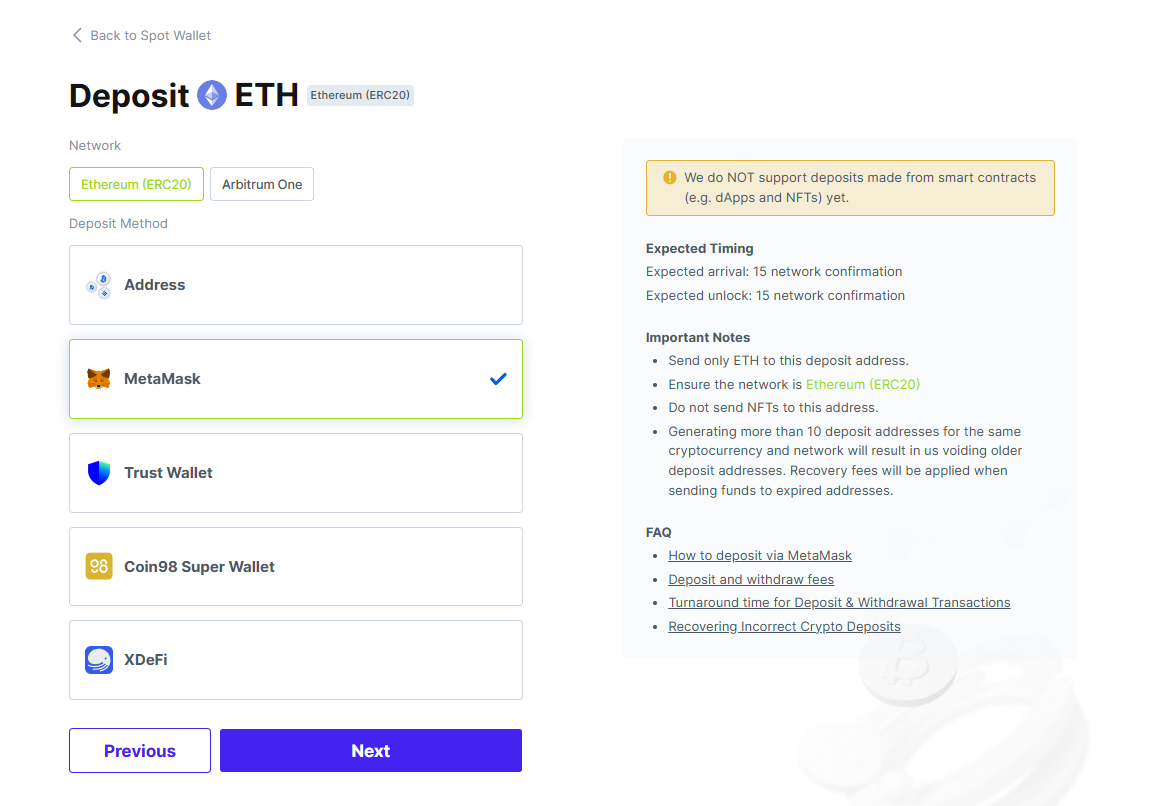
Go to the Traiex Wallet Page > Select a currency that supports the ERC-20 format > Deposit > Select “MetaMask” as Deposit Method and click “Next”.
Note: MetaMask wallets are on the Ethereum blockchain and support ETH or ERC-20 supported cryptocurrencies only.
Step 2.
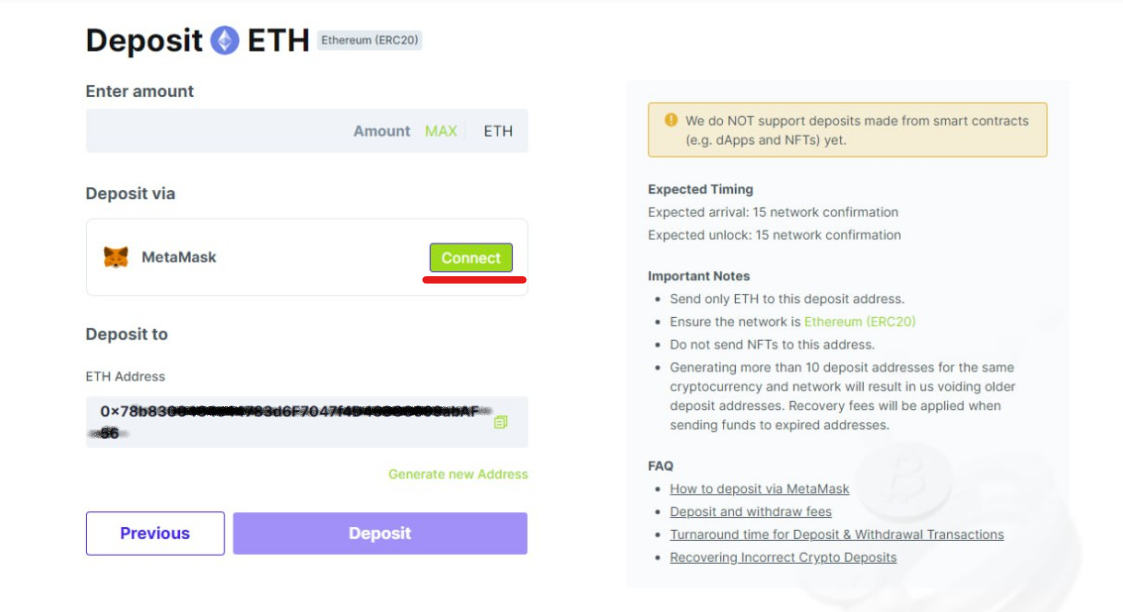
Click "Connect" next to MetaMask.
Step 3.
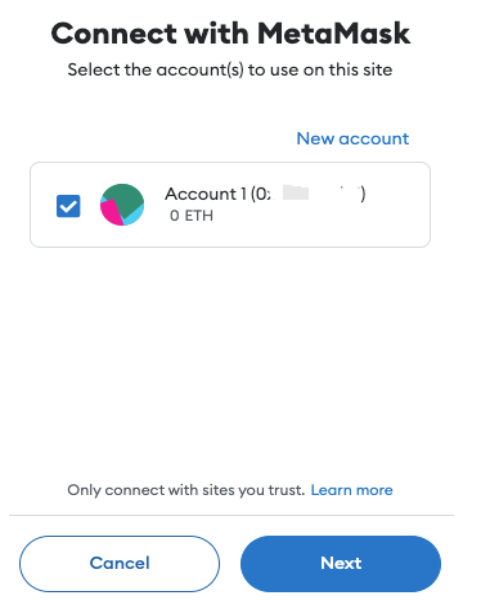
Select your desired MetaMask account and tap ‘Next’
Step 4.
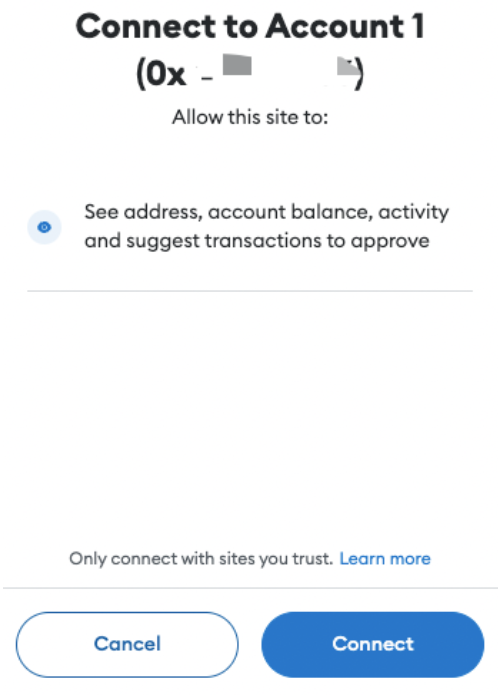
Tap ‘Connect’ again.
Step 5.
Once connected, you will be able to use the MetaMask wallet option to deposit funds.
Enter the amount you wish to deposit > Click "Deposit" > then Click "Confirm" in the MetaMask notification window.
MetaMask will notify you when the transaction is confirmed.
Note: After adding the MetaMask deposit option, all supported ERC-20 cryptocurrencies will be available for deposit to the Traiex platform.
Once the transaction is confirmed, the funds will be credited after approximately 10 minutes.
Was this article helpful?
That’s Great!
Thank you for your feedback
Sorry! We couldn't be helpful
Thank you for your feedback
Feedback sent
We appreciate your effort and will try to fix the article